





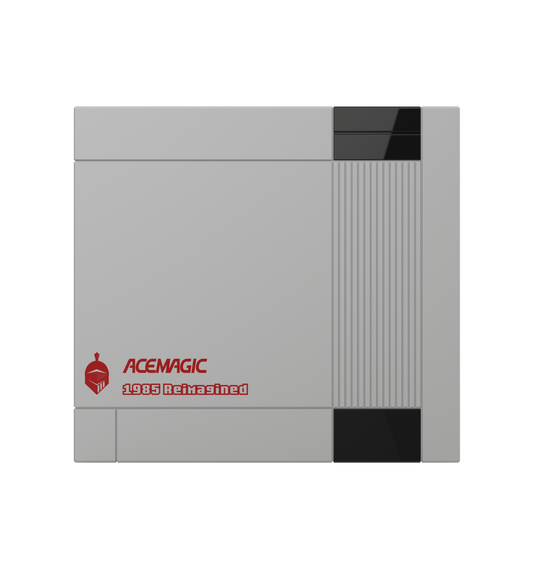

Ryzen AI Max+ PRO 495 vs 395: What Does 192GB Really Change?
The Ryzen AI Max+ PRO 495 is not a dramatic CPU or gaming upgrade over the Ryzen AI Max+ 395. Its biggest advantage is memory.
The Ryzen AI Max+ 395 already combines 16 Zen 5 cores, Radeon 8060S graphics with 40 compute units, and support for up to 128GB of LPDDR5X-8000 memory. The newer Ryzen AI Max+ PRO 495 keeps the same CPU core count and the same 40-CU graphics configuration, but increases maximum memory to 192GB LPDDR5X-8533, raises CPU and GPU clocks slightly, and introduces Radeon 8065S graphics. AMD lists the 495 with up to 55 NPU TOPS and 131 TOPS of total platform AI performance.
For many users, the choice depends mainly on how much memory their workload actually requires. For local AI users, keeping inference on-device can also reduce the need to send prompts, documents, or other data to cloud services.
If 128GB already covers your gaming, content creation, development, or local AI workload, the 395 remains a powerful option. If your workload is beginning to exceed 128GB—especially with large local LLMs, long context windows, several models running at once, virtual machines, or memory-heavy professional software—the 495 becomes much more interesting.
The key is not simply asking which processor is faster.
Ask whether the extra 64GB allows you to run something the 395 cannot comfortably handle.

Why Is Ryzen AI Max+ 395 Still So Popular?
The Ryzen AI Max+ 395 helped establish AMD Strix Halo as one of the most unusual high-performance PC platforms of its generation.
AMD combines 16 Zen 5 CPU cores and 32 threads with Radeon 8060S integrated graphics, 40 graphics compute units, and up to 128GB of LPDDR5X-8000 memory. The chip operates across a configurable 45–120W TDP range.
Those specifications tell only part of the story.
The real attraction of AMD Strix Halo is consolidation.
A conventional mini PC can deliver a fast CPU, but integrated graphics are often the limiting factor. A larger workstation can add a discrete GPU, but that introduces separate VRAM, cooling, power, and chassis constraints.
Strix Halo puts a high-core-count CPU, a much larger integrated Radeon GPU, and a wide LPDDR5X memory subsystem into one package.
That combination makes it particularly attractive for compact high-performance PCs and workstations.

Why Strix Halo Works So Well in a Mini PC
The appeal of a Strix Halo mini PC is not simply CPU speed.
AMD’s own Ryzen AI Halo developer platform pairs the Ryzen AI Max+ 395 with 128GB of LPDDR5X-8000 and specifies 256GB/s of memory bandwidth. It also confirms a 40-CU RDNA 3.5 GPU and XDNA 2 NPU.
That gives a Ryzen AI Max 395 mini PC enough memory and graphics capability to target workloads that normally push compact PCs beyond their comfort zone, including local AI, development, content creation, virtualization, GPU-accelerated applications, and gaming.
This is why judging the platform only by Cinebench-style CPU scores misses much of its appeal.
The more useful question is how much CPU compute, GPU capability, and shared memory can fit into one compact machine.

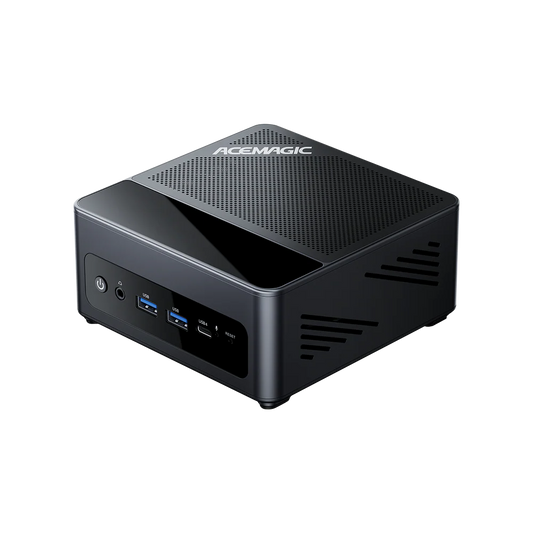
The M1A PRO combines Ryzen AI Max+ 395 performance with 128GB of unified memory, making it a compact option for local AI, large workloads and demanding professional applications.
View M1A PRORyzen AI Max+ 395 vs Ryzen AI Max+ PRO 495: Key Differences
The 395 belongs to AMD’s Strix Halo family. AMD officially lists the newer Ryzen AI Max+ PRO 495 under the former codename Gorgon Halo.
Gorgon Halo is better understood as an evolution of the same basic concept than as a clean-sheet platform.
Both processors retain Zen 5 CPU cores and 40 graphics compute units at the top end. The most important differences are higher clocks, faster memory, and a substantially higher memory ceiling.
| Key Specification | Ryzen AI Max+ 395 | Ryzen AI Max+ PRO 495 | Change |
|---|---|---|---|
| CPU architecture | Zen 5 | Zen 5 | Same |
| Cores/threads | 16 / 32 | 16 / 32 | Same |
| Base clock | 3.0 GHz | 3.1 GHz | +100 MHz |
| Max boost | 5.1 GHz | 5.2 GHz | +100 MHz |
| L2 + L3 cache | 80MB | 80MB | Same |
| Maximum memory | 128GB | 192GB | +64GB |
| Memory speed | LPDDR5X-8000 | LPDDR5X-8533 | +533 MT/s |
| Integrated GPU | Radeon 8060S | Radeon 8065S | Updated |
| GPU compute units | 40 | 40 | Same |
| GPU frequency | 2900 MHz | 3000 MHz | +100 MHz |
| NPU performance | Up to 50 TOPS | Up to 55 TOPS | +5 TOPS |
| Total platform AI performance | Up to 126 TOPS | Up to 131 TOPS | +5 TOPS |
| PCIe | PCIe 4.0, 16 lanes | PCIe 4.0, 16 lanes | Same |
| Configurable TDP | 45–120W | 45–120W | Same |
Data source: AMD official Ryzen AI Max+ 395 and Ryzen AI Max+ PRO 495 specifications. AMD confirms 128GB LPDDR5X-8000, Radeon 8060S at 2900MHz and up to 50 NPU TOPS for the 395; the 495 supports 192GB LPDDR5X-8533, Radeon 8065S at 3000MHz and up to 55 NPU TOPS. amd.com. Accessed September 15, 2026.
The table makes the main story clear:
Ryzen AI Max+ PRO 495 vs 395 is primarily a capacity upgrade, not an architectural reset.
What Actually Changed From 395 to 495?
CPU Performance: Expect an Incremental Change
The CPU side changes very little.
Both processors have 16 Zen 5 cores and 32 threads. Maximum boost frequency rises from 5.1GHz to 5.2GHz, while base frequency moves from 3.0GHz to 3.1GHz.
That is useful, but an additional 100MHz should not be confused with a generational CPU redesign.
For sustained rendering, compiling, encoding, or other heavy multicore workloads, chassis cooling and sustained package power can matter as much as the small clock difference.
A well-cooled 395 system can therefore remain highly competitive in CPU-heavy applications.
192GB Changes the Workload Envelope
The move from 128GB to 192GB matters much more.
That is a 50% increase in maximum memory capacity.
Consider a workload that consumes 70GB. It already fits easily inside a 128GB machine. Moving to 192GB does not inherently make it 50% faster.
Now consider a workload requiring 145GB.
That workload no longer fits comfortably inside the 395’s 128GB memory ceiling. A 192GB configuration can fundamentally change what is practical.
This is why Ryzen AI Max+ PRO 495 192GB systems should be viewed primarily as a capability upgrade.
The new memory ceiling expands the size of workload the system can keep resident rather than automatically accelerating everything that already fits.
Memory Capacity vs Memory Bandwidth
Capacity and bandwidth solve different problems.
Memory capacity determines whether the workload fits. Memory bandwidth helps determine how quickly data can move once it is running.
The 395 supports LPDDR5X-8000. The 495 moves to LPDDR5X-8533. AMD confirms both the 192GB ceiling and 8533 MT/s memory speed on the newer processor.
That is roughly a 6.7% increase in raw memory data rate.
It is not a generational jump, but memory speed matters more here than on a typical office CPU because the integrated GPU also relies on the LPDDR5X memory subsystem.
For GPU compute and some local LLM workloads, memory bandwidth can become a meaningful bottleneck.
This is also why buyers should not equate 50% more memory capacity with 50% more AI performance.
Why Ryzen AI Max+ PRO 495 192GB Matters for Local AI
The most interesting Ryzen AI Max+ PRO 495 local AI feature is not the extra five NPU TOPS.
It is the combination of a powerful integrated GPU and a much larger memory pool.
Large language models first need to fit into memory before inference speed even becomes relevant. For organisations handling sensitive data, keeping models and datasets local can be an important consideration alongside inference speed.
At a rough theoretical level, a 4-bit quantized model requires about half a byte per parameter for the quantized weights themselves.
But weights are only part of the memory requirement.
Inference also consumes memory for quantization metadata, runtime buffers, KV cache, context, operating-system processes, supporting models, and other applications.
That is why dividing the parameter count by two does not tell you how much system memory a complete local AI setup really needs.

128GB on the 395 Is Already Substantial
A 128GB Ryzen AI Max+ 395 system already sits well above the memory capacity of a typical consumer PC.
AMD has specifically promoted the processor for large local AI workloads and supports allocating up to 96GB of unified system memory as graphics memory through Variable Graphics Memory.
For users working with 7B, 14B, 32B and many larger quantized models, 128GB may already provide plenty of headroom.
If the model, runtime, context, and supporting applications all fit comfortably, the extra capacity of a 495 machine may not materially improve generation speed.
What 192GB Unlocks for Multi-Model Workflows
The 192GB Ryzen AI Max+ PRO 495 becomes more compelling when local AI is no longer a one-model workload.
A real AI development environment may have a main LLM running alongside an embedding model, reranker, vector database, containers, an IDE, browser tools, and a long context window.
Each component consumes part of the same system memory.
The extra 64GB can therefore be valuable even before a single model grows beyond 128GB.
It provides space to keep more services resident, use longer contexts, run larger models, and reduce the need to unload tools or move parts of the workflow to another machine.
That is a more useful way to understand 192GB than simply calling it “50% more RAM.”
Can Ryzen AI Max+ PRO 495 Run 120B or 300B Models?
For a closer look at memory capacity, inference performance, and software differences between these platforms, see our DGX Spark vs Strix Halo vs Gorgon Halo comparison.
Three questions need to be separated:
Can the model fit into memory?
Can the software stack run it?
Can it run fast enough for the intended use?
Those are not the same question.
The larger memory pool clearly helps with capacity. It gives the 495 additional room for quantized weights, KV cache, application overhead, and longer contexts.
But capacity alone cannot predict tokens per second.
Model architecture matters as well.
A 300B mixture-of-experts model is not equivalent to a dense 300B model. An MoE model can contain hundreds of billions of total parameters while activating only a subset for each token.
Runtime also matters. llama.cpp, Vulkan, ROCm/HIP, and other acceleration paths can behave differently depending on the model and software version.
For this reason, claims such as “120B Q4 support” or “up to 300B MoE” should be treated as capacity targets until paired with reproducible inference measurements.
Does More Memory Make Local AI Faster?
Not automatically.
This is the key distinction in the entire comparison.
When a workload does not fit in 128GB, moving to 192GB can be transformative because the workload becomes possible without the same degree of offloading or compromise.
Once the workload already fits, performance depends increasingly on memory bandwidth, GPU compute, quantization, model architecture, context length, software optimization, and sustained power.
The 495 therefore offers a larger workload envelope, not a guaranteed proportional increase in tokens per second.
For users specifically searching for Ryzen AI Max+ PRO 495 192GB or Ryzen AI Max+ PRO 495 local AI, this distinction is more useful than another headline TOPS number.
What Does 131 TOPS Actually Mean?
AMD rates the 495 for up to 55 NPU TOPS and 131 TOPS of overall AI performance.
These numbers should not be treated as interchangeable.
The 131 TOPS figure represents total platform AI compute rather than 131 TOPS from the XDNA 2 NPU alone. The NPU itself is rated at up to 55 TOPS.
That distinction matters because a local LLM may primarily depend on GPU acceleration and memory bandwidth rather than the NPU.
For a deeper explanation of how AI TOPS are measured and what they mean for real-world performance, the differences between NPU, GPU, and total platform AI compute matter more than a single headline number.
TOPS can be useful for describing overall AI capabilities, but it does not by itself predict LLM generation speed.
Ryzen AI Max+ PRO 495 vs 395 for Professional Workloads
The larger memory pool can also matter outside AI. A high-memory mini PC can provide substantial capacity while taking up far less space than a traditional desktop.
Video Editing and Content Creation
For conventional 4K editing, 128GB is already generous.
A 192GB configuration becomes more relevant with very large timelines, high-resolution source media, complex effects, large caches, or several memory-intensive creative applications open at once.
The advantage is additional working headroom.
It should not be interpreted as a guarantee that ordinary exports will become dramatically faster.
3D and GPU Compute
Large shared-memory configurations can be useful when a scene, dataset, or GPU workload exceeds the VRAM available on a conventional graphics card.
There is a trade-off.
A high-end discrete GPU may deliver considerably more raw compute and dedicated memory bandwidth. A large-memory integrated platform instead offers compactness and a much higher accessible memory ceiling than many mainstream GPUs.
For some workloads, being able to fit the project in memory is more important than achieving maximum peak throughput.
Development and Virtualization
This is another strong use case for 192GB.
A developer may run multiple virtual machines, containers, databases, IDEs, browser sessions, and a local coding model at the same time.
No single application needs to consume 150GB for the additional memory to become useful.
The value may simply be keeping the entire environment running without repeatedly shutting down services or reallocating memory.
Ryzen AI Max+ 495 vs 395 for Gaming
Gaming is where the difference becomes less dramatic.
Both processors retain 40 graphics compute units.
The Radeon 8060S in the 395 operates at up to 2900MHz, while the Radeon 8065S in the 495 reaches 3000MHz. The newer processor also moves from LPDDR5X-8000 to LPDDR5X-8533.
Those changes can improve performance, but they do not create an entirely new GPU class.

The GPU Still Has 40 CUs
There is no increase in the basic compute-unit count.
An extra 100MHz and faster memory can provide incremental gains, especially in bandwidth-sensitive games, but this is fundamentally different from moving to a substantially larger graphics configuration.
That is why buyers should be cautious about assuming a large gaming uplift from the model number alone.
Power and Cooling Still Matter
Both processors use the same official 45–120W configurable TDP range.
That does not mean every 395 and 495 mini PC will perform identically under sustained loads.
CPU and GPU resources operate inside the same package-level thermal and power environment. A compact system therefore needs enough cooling and sustained power delivery to keep the GPU near its intended operating frequency.
The faster LPDDR5X-8533 memory on a 495 system can also introduce slightly different system-level memory and controller power behavior under heavy full-system loads. The exact difference will depend on the finished device rather than the processor specification alone.
In practice, chassis airflow, heatsink design, fan tuning, firmware, and sustained power limits remain important. Sensible sustained TDP behaviour and cooling matter as much as peak clocks—especially when the PC sits within arm’s reach all day.
Shared Memory Has Advantages and Trade-Offs
A conventional discrete graphics card has its own dedicated VRAM subsystem.
Strix Halo and Gorgon Halo instead allow the integrated Radeon GPU to access a large pool of system LPDDR5X memory.
That creates one of the platform’s biggest advantages: unusually high GPU-accessible memory capacity.
But it also means CPU and GPU operate within the same broader memory architecture.
The wide memory interface gives these chips much more bandwidth than a typical integrated GPU, but that does not make the memory subsystem identical to dedicated high-end GDDR-based graphics memory.
Gaming Verdict
If you already own a 395 system and gaming is your primary workload, the 495 is unlikely to justify an upgrade on gaming performance alone.
The newer processor makes more sense if the same PC is also being used for local AI, development, virtualization, or other workloads that can actually benefit from the additional 64GB.
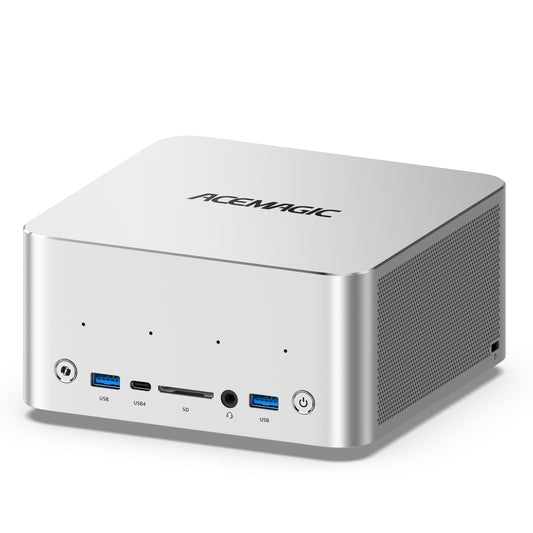
ACEMAGIC F9A: What Do the 395 and 495 Mean in a Real Mini Workstation?
Processor specifications tell us what AMD’s silicon supports.
A finished workstation also needs to solve storage, expansion, networking, cooling, and practical memory allocation.
That is where the ACEMAGIC F9A lineup becomes relevant.
F9A-395 vs F9A-PRO495
| Specification | F9A-395 | F9A-PRO495 | Improvement |
|---|---|---|---|
| Processor | AMD Ryzen AI Max+ 395 | AMD Ryzen AI Max+ PRO 495 | Updated platform |
| CPU | Zen 5 / 16C-32T | Zen 5 / 16C-32T | Same |
| Base clock | 3.0 GHz | 3.1 GHz | +100 MHz |
| Boost clock | Up to 5.1 GHz | Up to 5.2 GHz | +100 MHz |
| L2 + L3 cache | 16MB + 64MB | 16MB + 64MB | Same |
| Maximum memory | 128GB | 192GB | +64GB |
| Memory speed | LPDDR5X-8000 | LPDDR5X-8533 | +533 MT/s |
| Maximum graphics-memory allocation | 96GB | 160GB | +64GB |
| PCIe interface | PCIe 4.0 ×16 | PCIe 4.0 ×16 | Same |
| NVMe RAID | RAID 0 / RAID 1 | RAID 0 / RAID 1 | Same |
| Integrated GPU | Radeon 8060S | Radeon 8065S | Updated |
| GPU architecture / CUs | RDNA 3.5 / 40 CU | RDNA 3.5 / 40 CU | Same CU count |
| GPU frequency | 2900 MHz | 3000 MHz | +100 MHz |
| NPU performance | Up to 50 TOPS | Up to 55 TOPS | +5 TOPS |
| Total AI performance | Up to 126 TOPS | Up to 131 TOPS | +5 TOPS |
| Local-model positioning | 70B Q4 / up to 200B MoE | 120B Q4 / up to 300B MoE | Larger model targets |
Data sources: Processor specifications are based on AMD’s official Ryzen AI Max+ 395 and Ryzen AI Max+ PRO 495 documentation. ACEMAGIC’s F9A product pages provide system-level specifications including 128GB and 192GB configurations, maximum graphics-memory allocation, storage, RAID, and local-model positioning. The local-model figures describe product capability targets rather than independent tokens-per-second results.
The table shows why the F9A-PRO495 should not simply be described as a much faster F9A-395.
Its most meaningful advantage is the ability to allocate substantially more memory to workloads that need it.
ACEMAGIC F9A-395
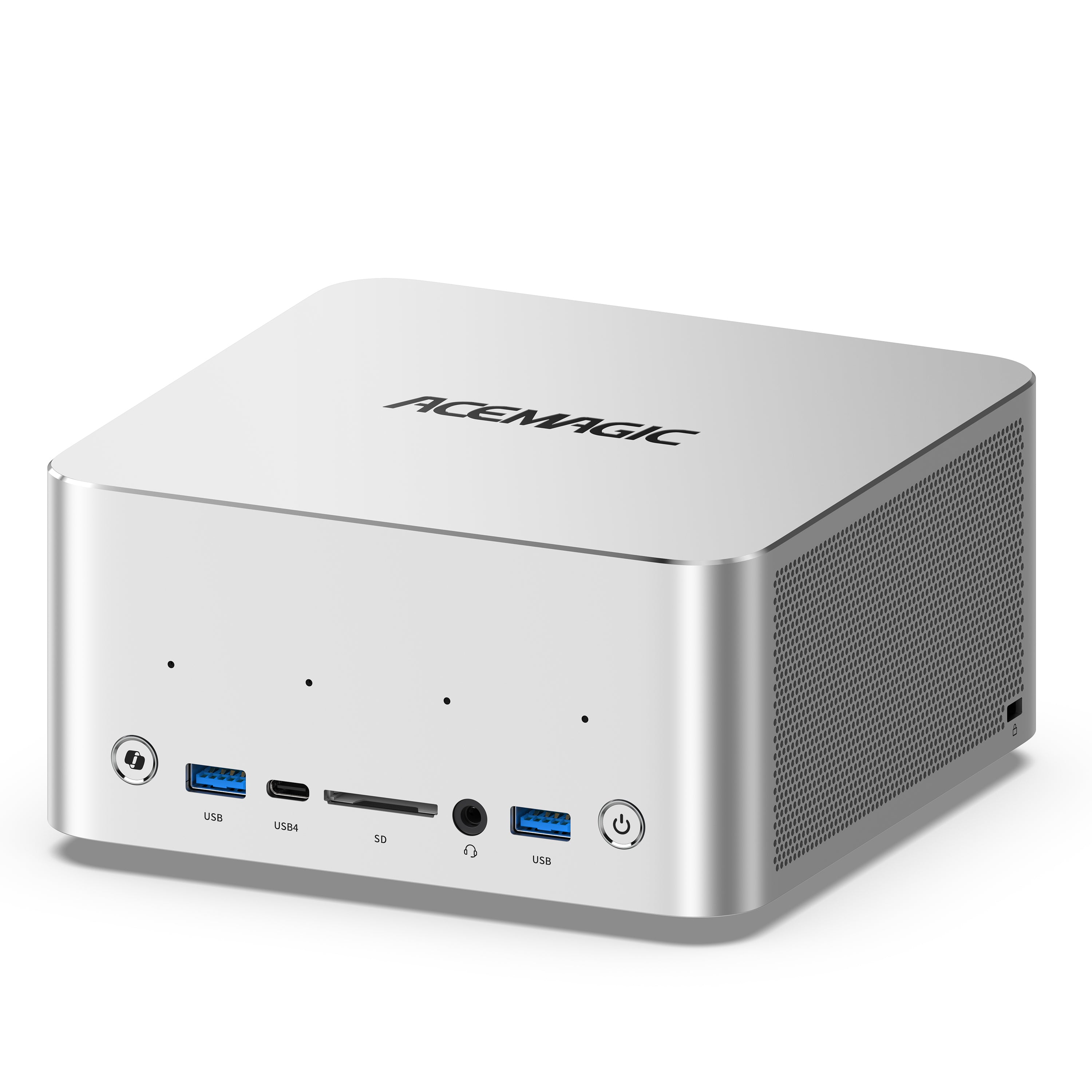
A strong fit for users who want Ryzen AI Max 395 mini PC performance and 128GB of memory without paying for capacity they are unlikely to use.
The F9A-395 specification also includes Wi-Fi 7, Bluetooth 5.4, dual 2.5GbE networking, HDMI 2.1, DisplayPort 2.1, and support for up to 8TB across its two M.2 slots.
View F9A-395ACEMAGIC F9A-PRO495

Built for developers and professionals who need a Ryzen AI Max+ PRO 495 local AI system with more headroom for large models, long contexts, and multi-service workflows.
ACEMAGIC positions this F9A PRO 495 configuration for AI development, local inference, content creation, gaming, and professional work, with up to 192GB of memory as one of its defining capabilities. Details are on the F9A AI Workstation page rather than a separate product SKU listing.
Explore F9A-PRO495Ryzen AI Max+ PRO 495 vs 395: Which One Should You Buy?
The easiest way to decide is to ignore the newer model number for a moment and look at your actual memory requirements.
Choose Ryzen AI Max+ 395 If
The 395 may make more sense when 128GB comfortably covers your workload, gaming matters more than maximum AI model capacity, and you do not routinely run memory-heavy multi-model or virtualization workloads.
It also makes sense if you already own a 395 system and rarely approach its memory limit.
The arrival of the Gorgon Halo platform does not suddenly make Ryzen AI Max+ 395 mini PCs outdated.
The 395 still combines a 16-core Zen 5 CPU, Radeon 8060S graphics with 40 CUs, and up to 128GB of fast memory—an unusually capable combination for a compact PC.
Choose Ryzen AI Max+ PRO 495 If
The 495 becomes much easier to justify when your workload approaches or exceeds 128GB.
That includes users specifically looking for a Ryzen AI Max+ PRO 495 192GB workstation, experimenting with large 100B+ models, using long context windows, keeping several AI models loaded simultaneously, or combining local LLMs with RAG systems, databases, containers, and virtual machines.
This is where the additional memory changes what the machine can practically do.
Already Own a 395?
Do not upgrade simply because the 495 is newer.
CPU core count is unchanged. GPU CU count is unchanged. Clock increases are small.
Upgrade when the extra 64GB solves an actual constraint.
If you are already reducing model size, shortening context, closing applications, or splitting workflows because 128GB is not enough, the 495 becomes compelling.
If your workloads rarely exceed roughly 80–100GB of total memory use, the 395 may still be the more practical choice.
Frequently Asked Questions
Is Ryzen AI Max+ PRO 495 a Major Upgrade Over Ryzen AI Max+ 395?
It is a major memory-capacity upgrade, but not a completely new CPU or GPU architecture.
Both processors use 16 Zen 5 cores and 40 graphics compute units. The 495 raises maximum memory from 128GB to 192GB, increases memory speed to LPDDR5X-8533, raises maximum CPU boost to 5.2GHz, and moves from Radeon 8060S to Radeon 8065S.
What Is the Difference Between Strix Halo and Gorgon Halo?
Strix Halo is the codename associated with the Ryzen AI Max 300 platform, including the Ryzen AI Max+ 395.
AMD officially lists Gorgon Halo as the former codename for the Ryzen AI Max+ PRO 495. It retains Zen 5 and a 40-CU integrated graphics configuration at the top end, so the 495 is better understood as an evolution of the same high-performance APU concept than an entirely new architecture.
Is Ryzen AI Max+ PRO 495 192GB Worth It?
It can be worth it when 128GB has become a genuine constraint.
Large local LLMs, long-context workloads, multi-model pipelines, virtualization, large datasets, and development environments running many memory-heavy services at once are the clearest examples.
For ordinary productivity or gaming, most users will not meaningfully benefit from 192GB.
Can Ryzen AI Max+ PRO 495 Run a 120B Model?
The larger memory pool makes 120B-class quantized workloads more practical, but parameter count alone cannot tell you whether the experience will be fast enough.
Quantization, context length, model architecture, KV-cache requirements, acceleration backend, and generation speed all matter.
A capacity claim should therefore not be interpreted as a guaranteed tokens-per-second result.
Can Ryzen AI Max+ PRO 495 Run 300B MoE Models?
Potentially, depending on the model, quantization, context length, runtime, and MoE architecture.
A 300B mixture-of-experts model should not be treated as equivalent to a dense 300B model because only a subset of experts may be active for each token.
ACEMAGIC currently positions the F9A-PRO495 for up to 300B MoE workloads, but actual usability still needs model-specific performance testing.
Does 192GB Make LLM Inference Faster?
Not automatically.
Additional memory primarily helps when capacity is the bottleneck.
Once a model already fits, performance depends more heavily on memory bandwidth, GPU compute, quantization, model architecture, context length, software optimization, and sustained system power.
Is Ryzen AI Max+ 495 Faster Than 395 for Gaming?
It has modest hardware advantages: Radeon 8065S operates at up to 3000MHz instead of 2900MHz, while memory moves from LPDDR5X-8000 to LPDDR5X-8533.
However, both processors still have 40 graphics CUs.
The 495 should therefore be treated as an incremental gaming improvement rather than an entirely new graphics-performance tier.
Is Ryzen AI Max+ 395 Still Worth Buying in 2026?
Yes.
If 128GB is enough for your applications, the Ryzen AI Max+ 395 remains highly relevant for local AI, content creation, software development, gaming, and compact workstation use.
Its combination of 16 Zen 5 cores, Radeon 8060S graphics, 40 CUs, and up to 128GB LPDDR5X is still what makes Strix Halo unusual in the first place.
Should I Buy Ryzen AI Max+ 395 or Wait for a 495 System?
Choose the 395 when 128GB comfortably fits your expected workloads and the system offers better value.
Choose the 495 when 192GB directly enables workloads you would otherwise need to shrink, split, offload, or run on another machine.
That is a much more useful buying rule than choosing based on generation number alone.
Final Verdict
The Ryzen AI Max+ PRO 495 vs 395 comparison becomes much easier to understand once you stop treating it like a conventional CPU generation upgrade.
The Ryzen AI Max+ 395 established AMD Strix Halo as a compelling platform for high-performance compact PCs. It combines 16 Zen 5 cores, a 40-CU Radeon 8060S, and up to 128GB of fast LPDDR5X memory in one system.
Gorgon Halo extends that formula.
CPU core count stays the same. Graphics CU count stays the same. Clock speeds rise modestly.
The defining upgrade is 192GB of faster LPDDR5X memory.
For gaming, office work, content creation, and local AI workloads that fit comfortably inside 128GB, the 395 remains highly capable—and often a practical choice when 128GB is enough.
For large local models, long contexts, multi-model AI pipelines, virtual machines, and professional workloads beginning to hit the 128GB ceiling, the 495 creates substantially more room.
That is the most useful way to think about the upgrade:
Ryzen AI Max+ 395 is already powerful. Ryzen AI Max+ PRO 495 is valuable when you need to run something larger.
References and Data Sources
- AMD. “AMD Ryzen™ AI Max+ 395.” AMD Official Product Specifications. amd.com. Accessed September 15, 2026.
- AMD. “AMD Ryzen™ AI Max+ PRO 495.” AMD Official Product Specifications. amd.com. Accessed September 15, 2026.
- AMD. “AMD Ryzen™ AI Halo Developer Platform with Ryzen™ AI Max+ 395 Processor.” AMD. amd.com. Accessed September 15, 2026.
- AMD Developer. “AMD Ryzen™ AI Halo User Guide.” AMD AI Developer Playbooks. developer.amd.com. Accessed September 15, 2026.
- ACEMAGIC. “ACEMAGIC F9A AMD Ryzen AI MAX+ 395 AI Mini Workstation.” ACEMAGIC. acemagic.eu. Accessed September 15, 2026.
- ACEMAGIC. “ACEMAGIC F9A AMD Ryzen AI MAX+ PRO 495 AI Workstation.” ACEMAGIC. acemagic.eu. Accessed September 15, 2026.