





AI TOPS and NPU Performance Guide: How AI PCs Measure Next-Generation Computing Power
Artificial intelligence is changing the way personal computers are designed, evaluated, and purchased. For decades, computer performance was straightforward: buyers compared CPU clock speeds, GPU graphics power, and RAM capacity. However, as local large language models (LLMs), AI image generators, and on-device intelligent assistants become part of everyday productivity, traditional metrics are no longer sufficient.

Evaluating an AI computer requires understanding dedicated neural hardware. Two terms are central to this conversation: NPU and AI TOPS.
An NPU (Neural Processing Unit) acts as an integrated AI accelerator, purpose-built to process complex matrix mathematics while consuming minimal power.
Meanwhile,AI TOPS provides a common metric to describe theoretical computing throughput.
However, does a higher TOPS rating guarantee faster real-world AI performance? What does a 40 TOPS baseline actually deliver, and how much compute power and RAM do you need to run popular open-source models like DeepSeek, Llama, and Qwen locally?
This guide breaks down everything you need to know about neural processors, how real-world AI PC performance is measured, and how to choose the right hardware platform for your workflow.
Quick Overview: AI TOPS and NPU Performance
| Key Point | Quick Explanation |
|---|---|
| NPU Role | A dedicated AI accelerator designed for efficient neural network processing and low-power AI workloads. |
| AI TOPS Meaning | AI TOPS measures theoretical AI computing throughput, representing how many trillion AI operations a system can process per second. |
| TOPS vs Real Performance | AI performance depends on more than TOPS. Memory bandwidth, RAM capacity, software optimization, and thermal design also affect real-world results. |
| AI Performance Levels | 40+ TOPS is designed for mainstream AI PC features, while 100+ TOPS platforms target advanced local AI workloads and larger AI models. |
| Local AI Capability | High-memory AI PCs can run local AI models, with actual performance depending on model size, quantization, and system architecture. |
Understanding NPU and AI TOPS
What Is an NPU? Understanding the AI Accelerator Inside Modern AI PCs
If you are exploring modern processor specifications, the fundamental question to start with is: what is NPU?
An NPU (Neural Processing Unit) is a specialized microprocessor engineered specifically for executing machine learning algorithms, artificial neural networks, and matrix operations. While general-purpose processors handle sequential logic, an NPU operates as a dedicated AI accelerator designed to offload continuous, repetitive AI inference tasks from both the CPU and GPU. For a deeper technical overview, see Wikipedia's NPU article.
In a contemporary computing architecture, workload processing is split across three dedicated processing engines:

- CPU: Handles the operating system, user input, application logic, and serial computing tasks.
- GPU: Manages intensive parallel rendering, 3D graphics, video encoding, and heavy batch model computations.
- NPU: Sustains continuous, low-latency neural processing—such as real-time audio noise suppression, live speech-to-text translation, video background replacement, and local AI agent indexing—without creating high battery drain or excessive heat.
By handling continuous background tasks efficiently, the NPU ensures your CPU and GPU remain completely free to deliver maximum speed for your foreground applications.
What Is AI TOPS? Understanding the TOPS AI Performance Metric
When evaluating next-generation processors, buyers frequently encounter technical ratings and ask: what is AI TOPS?
AI TOPS Formula (Simplified)
TOPS = (AI Operations per Cycle × Accelerator Clock Speed × Parallel Compute Units) ÷ 1 Trillion
The TOPS acronym stands for Tera Operations Per Second. One TOPS represents one trillion operations performed per second, providing a theoretical measurement of AI acceleration capability. When hardware reviewers explain what is TOPS in AI, they are describing the maximum mathematical compute ceiling an accelerator can reach under optimal conditions.
In modern processor specifications, tops AI metrics are commonly calculated using different numerical precision formats:
- INT8 (8-bit Integer): The most common standard for on-device AI inference. Because INT8 requires less memory bandwidth and lower computational power, most published npu tops figures reflect INT8 performance.
- FP16 (16-bit Floating Point): Delivers higher numerical precision for complex generative workflows, but demands greater computational overhead and memory bandwidth.
- Block FP16 (XDNA 2 Architecture): Modern architectures like AMD Ryzen AI utilize Block FP16 precision, combining the mathematical accuracy of 16-bit floating-point computing with the performance and memory efficiency of 8-bit quantization.
How AI TOPS Measures NPU Performance
Manufacturers publish NPU TOPS ratings to quantify the theoretical peak speed of their on-die neural engines. For example, an NPU rated at 50 TOPS can mathematically execute 50 trillion 8-bit operations every second.
However, understanding what these numbers mean in practice requires distinguishing between dedicated accelerator power and total system capability.
| Performance Metric | Technical Meaning | Practical Impact on User Experience |
|---|---|---|
| NPU TOPS | Dedicated neural accelerator throughput | Dictates battery efficiency and continuous background AI performance |
| Platform TOPS | Combined compute capacity of CPU + GPU + NPU | Represents the total theoretical computing capability of the entire system |
| Memory Bandwidth | Data transfer rate between memory and processors | Directly sets the physical speed limit for LLM token generation |
| Tokens per Second (Tokens/s) | Real-world interactive output generation speed | The definitive metric for conversational AI responsiveness and coding speed |
While dedicated NPU TOPS ratings tell you how efficiently a device runs always-on OS features, total real-world performance depends on the entire data pipeline feeding the processor.
How to Evaluate Real AI Performance Beyond TOPS
Relying solely on TOPS to judge an AI computer is like judging an automobile exclusively by its engine horsepower without looking at its transmission, tires, or fuel line. A comprehensive AI benchmark must look beyond theoretical specifications to evaluate practical execution factors.

| Performance Factor | Why It Matters | Real-World Workflow Impact |
|---|---|---|
| Memory Bandwidth | Determines continuous data transfer speed | Bottlenecks LLM prompt ingestion and text generation rates |
| RAM Capacity | Sets the maximum model parameter threshold | Determines whether an LLM fits in memory or fails to load entirely |
| Software Optimization | Dictates inference engine hardware utilization | Ensures frameworks (ONNX, llama.cpp, ROCm) fully engage compute units |
| Thermal Design | Controls sustained operational frequency | Prevents thermal throttling during extended inference sessions |
Evaluating an AI performance profile requires testing how fast a machine processes tokens, how quickly it generates creative image batches, and how stably it maintains performance under sustained thermal loads.
Why Higher AI TOPS Does Not Always Mean Better AI Performance
One of the most common mistakes when shopping for hardware is assuming that a higher AI TOPS figure automatically delivers faster daily productivity.
In real-world deployment:
TOPS (Compute) → How fast the processor calculates ↓
RAM (Capacity) → Whether the model fits in memory ↓
Bandwidth (Speed) → How fast data feeds the compute units
If an accelerator possesses high TOPS compute capability but is constrained by narrow memory bandwidth (such as standard 128-bit DDR5 memory), it will spend cycles idling while waiting for parameter weights to load.
Conversely, a system with balanced compute paired with ultra-fast, high-bandwidth memory (such as LPDDR5X running at 8000 MT/s) will consistently deliver faster conversational response rates than a higher-TOPS system bottlenecked by slow memory.
AI PC Hardware Selection
NPU vs GPU vs CPU: Which Processor Is Better for AI Workloads?
Understanding how to allocate computing tasks depends on the differences between processor architectures. In the npu vs gpu comparison, each processing unit has distinct architectural strengths:
CPU → OS, logic, everyday apps
GPU → Parallel batch compute, 3D rendering
NPU → Power-efficient continuous AI inference
- CPU: Excellent for general-purpose execution, linear programming logic, and legacy software. It lacks the massive parallel execution cores required for intensive neural matrix operations.
- GPU: Features thousands of compute cores built for massive parallel throughput. In any GPU vs NPU comparison, discrete GPUs remain the top choice for training complex models and processing heavy batch generation workloads, but they consume substantial power (often 100W–350W+).
- NPU: A purpose-built engine tailored for continuous low-power inference. An NPU processes background AI models with minimal electrical draw, preventing heat buildup and conserving system resources.
A modern AI PC does not rely on a single processor type; it orchestrates CPU, GPU, and NPU engines in tandem to achieve balance across performance, thermals, and power consumption.
How Many TOPS Do You Need to Run Local AI Models?
Different local AI workloads require different compute thresholds:
| AI Workload Category | Recommended Platform TOPS | Typical Models & Use Cases |
|---|---|---|
| Copilot+ PC Features | 40+ NPU TOPS | Windows Recall, live audio captioning, Cocreator, image restyling |
| Mainstream Local LLMs | 60–80 Platform TOPS | 7B to 14B parameter models (DeepSeek-R1-Distill, Qwen 2.5, Llama 3.1) |
| Advanced Local LLMs & Agents | 100+ Platform TOPS | 32B+ parameter models, multi-agent frameworks, dense code generation |
- 40+ NPU TOPS: The official industry requirement for running next-generation system-level operating system AI tools directly on your device without cloud processing.
- 60–80 TOPS: The sweet spot for software developers, content creators, and power users running quantized 7B–14B models for fast conversational drafting and code debugging.
- 100+ TOPS: The professional tier needed to execute multi-turn reasoning networks and complex local AI agent workflows offline.
How Much RAM Does an AI PC Need for Local AI Models?
While processor compute determines execution speed, memory capacity is the absolute prerequisite for running on-device models. If your system runs out of physical memory, the model will either crash or slow to an unusable crawl by paging to your SSD.
The table below outlines real-world memory requirements across popular quantization profiles:
| Model Parameter Size | Quantization Format | Approximate RAM Footprint | Minimum Recommended System RAM |
|---|---|---|---|
| 7B Parameter Model | Q8_0 (High Quality) | ~8.3 GB | 16 GB – 32 GB |
| 14B Parameter Model | Q8_0 (High Quality) | ~15.8 GB | 32 GB |
| 32B Parameter Model | Q8_0 (High Quality) | ~33.9 GB | 64 GB |
| 70B / 72B Parameter Model | Q4_K_M / Q5_K_M | ~42.0 GB – 48.0 GB | 64 GB – 128 GB |
For users looking to run advanced models like DeepSeek-R1-Distill-Qwen-32B or Llama-3.1-70B locally, having a unified memory pool of 64GB to 128GB LPDDR5X memory is just as critical as raw compute horsepower.
Why AI Mini PCs Are Ideal for Local AI Computing
The shift toward on-device intelligence has accelerated adoption of the ai mini pc form factor.
Compared with traditional desktop AI workstations that require bulky multi-slot chassis, massive power supplies, and noisy cooling setups, modern AI Mini PCs provide a compact, energy-efficient, and whisper-quiet computing solution.
100% Privacy → Data never leaves your device
Energy Efficient → Low power draw for continuous AI
Minimal Footprint → Full workstation power on your desk
Key advantages of deploying a dedicated mini pc for ai include:
- Total Data Privacy: Sensitive business financial files, proprietary codebases, and private communications are processed entirely on-device, eliminating third-party cloud data leaks.
- Quiet, Low-Power Operation: Neural accelerators deliver sustained inference without spinning high-RPM fans or consuming hundreds of watts from the wall.
- Dedicated Edge Deployment: Compact dimensions make mini PCs ideal for 24/7 dedicated local servers, home AI labs, and developer test environments.
AMD Ryzen AI Processor TOPS Roadmap and Hardware Evolution
AMD's Ryzen AI architecture highlights how integrated neural acceleration and integrated platform throughput have scaled over recent hardware generations:
| Processor Generation | NPU Architecture | Dedicated NPU Compute | Total Platform AI TOPS | Target Market |
|---|---|---|---|---|
| Ryzen 7040 Series | AMD XDNA | Up to 10 TOPS | Up to 33 TOPS | Initial AI Laptop Adoption |
| Ryzen 8040 Series | AMD XDNA | Up to 16 TOPS | Up to 39 TOPS | Mainstream Mobile Computing |
| Ryzen AI 300 Series | AMD XDNA 2 | Up to 50+ TOPS | Up to 80+ TOPS | Copilot+ Laptops & Mini PCs |
| Ryzen AI MAX 395 | AMD XDNA 2 | Up to 50+ TOPS | Up to 126+ TOPS | Workstation-Class Flagship Platforms |
The Ryzen AI MAX 395 platform represents an important milestone in compact edge computing, uniting 16 high-performance Zen 5 CPU cores, 40 RDNA 3.5 graphics compute units, an XDNA 2 NPU, and wide 256-bit unified memory architecture into a single power-efficient package.

Real-World AI Benchmark: ACEMAGIC M1A PRO+ Running Local LLMs
To evaluate practical capabilities beyond theoretical marketing numbers, we conducted performance testing on the ACEMAGIC M1A PRO+.
This system features the flagship Ryzen AI MAX 395 processor, integrated Radeon 8060S graphics, an XDNA 2 NPU (delivering up to 126 total platform TOPS), and a massive 128GB of high-speed LPDDR5X (8000 MT/s) unified memory.
DeepSeek-R1-Qwen-1.5B (Q8) → 94.35 tok/s
DeepSeek-R1-Qwen-14B (Q8) → 35.30 tok/s
DeepSeek-R1-Qwen-7B (Q8) → 26.54 tok/s
DeepSeek-R1-Llama-8B (Q8) → 13.31 tok/s
DeepSeek-R1-Qwen-32B (Q8) → 6.17 tok/s
Llama-3.1-70B (Q5_K_M) → 4.41 tok/s
Qwen2.5-72B-Instruct (Q4_K_M) → 4.28 tok/s
ACEMAGIC M1A PRO+Benchmark Results Table
| Local AI Model | Quantization | Memory Usage | Response Speed | Practical Use Case |
|---|---|---|---|---|
| DeepSeek-R1-Distill-Qwen-1.5B | Q8_0 | ~2.7 GB | 94.35 tokens/s | Real-time code autocompletion |
| DeepSeek-R1-Distill-Qwen-7B | Q8_0 | ~8.3 GB | 26.54 tokens/s | Conversational chat & fast drafting |
| DeepSeek-R1-Distill-Qwen-14B | Q8_0 | ~15.8 GB | 35.30 tokens/s | Advanced script writing & technical analysis |
| DeepSeek-R1-Distill-Llama-8B | Q8_0 | ~5.9 GB | 13.31 tokens/s | Document Q&A & summarization |
| DeepSeek-R1-Distill-Qwen-32B | Q8_0 | ~33.9 GB | 6.17 tokens/s | Complex multi-step logical reasoning |
| Llama-3.1-70B | Q5_K_M | ~47.2 GB | 4.41 tokens/s | In-depth academic & domain-specific research |
| Qwen2.5-72B-Instruct | Q4_K_M | ~44.6 GB | 4.28 tokens/s | Professional enterprise offline LLM deployment |
In-Depth Benchmark Analysis
-
Running 7B to 14B Everyday Models: Generating 26.54 tokens/s on
DeepSeek-R1-Distill-Qwen-7Band 35.30 tokens/s on the 14B model delivers an instantaneous, conversational user experience that outpaces normal human reading speed. -
Running Heavy 32B to 72B Reasoning Models: The 128GB LPDDR5X unified memory configuration allows the M1A PRO+ to load dense 70B+ models locally. Delivering 4.41 tokens/s on
Llama-3.1-70Bmakes the M1A PRO+ an exceptional, quiet desktop platform for private research without needing cloud APIs.
For developers seeking the best ai mini pc for local LLM experimentation, having high compute matched with 128GB of memory eliminates previous hardware constraints.

Best for: Professional LLM research, 32B–70B model deployment, local AI agent development, and offline enterprise AI workloads.
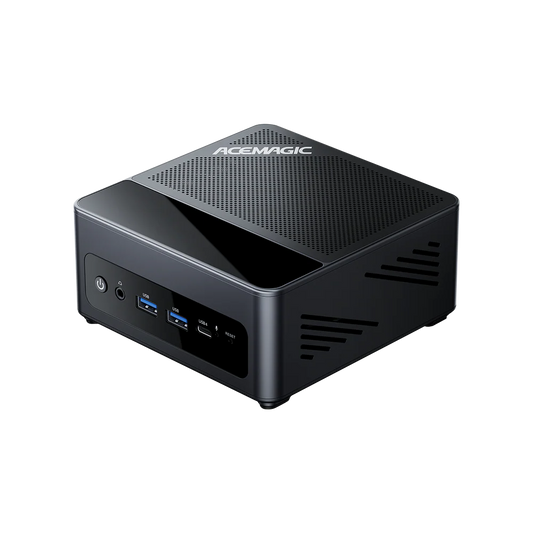
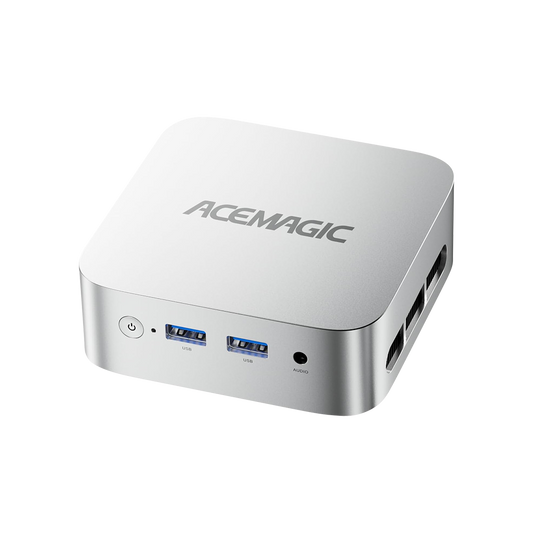
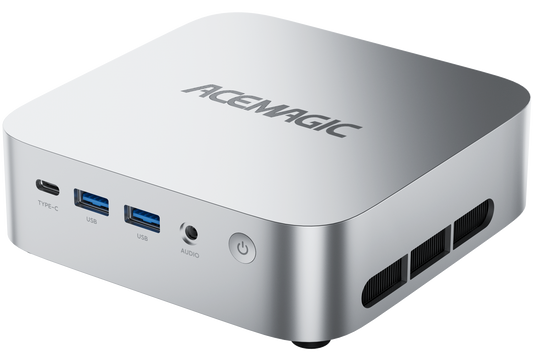
Shop M1A PRO+ACEMAGIC F9A: 126 TOPS AI Performance
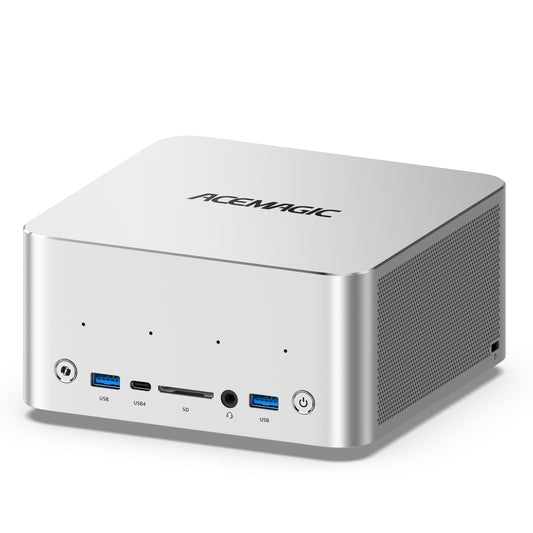
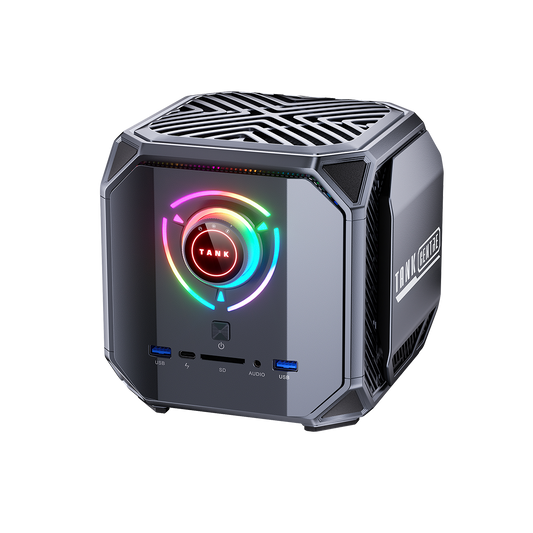
For users looking for a powerful compact workstation capable of handling demanding AI workloads, local LLMs, content creation, and professional multitasking, the ACEMAGIC F9A delivers flagship-level performance in a compact 2L form factor.
PProcessor: AMD Ryzen AI MAX+ 395
Neural Engine: AMD XDNA 2 NPU
Total Compute: Up to 126 Platform AI TOPS
Memory: Up to 128GB LPDDR5X-8000 Unified Memory
Best For: Local AI, 120B LLMs, content creation, professional workloads

How to Choose the Right AI PC Based on TOPS
To select the right system for your budget and workflow, reference this straightforward decision framework:
Tier 1: Everyday Productivity — 40–50 TOPS, 16–32GB RAM
Tier 2: Content Creation & 7B–14B LLMs — 60–90 TOPS, 32–64GB RAM
Tier 3: Professional LLM Research — 100+ TOPS, 64–128GB RAM, ACEMAGIC M1A PRO+ / ACEMAGIC F9A
Both the ACEMAGIC M1A PRO+ and ACEMAGIC F9A are powered by the AMD Ryzen AI MAX+ 395, delivering up to 126 Platform AI TOPS, with 50 TOPS from the XDNA 2 NPU and up to 128GB LPDDR5X-8000 unified memory. They are better suited to demanding local AI workloads, large language models, AI agent development, and professional content creation than the 60–90 TOPS class.
5 Common Misunderstandings About AI TOPS
1. "Higher TOPS always means faster conversational responses."
Reality: TOPS describes raw compute potential. Real-world token output speed is heavily governed by memory bandwidth and software runtime optimization.
2. "The NPU completely replaces your GPU."
Reality: The NPU handles continuous, low-power background inference; dedicated GPUs remain essential for high-throughput 3D rendering and parallel image generation batches.
3. "All manufacturer TOPS ratings are directly comparable."
Reality: A TOPS specification calculated at INT8 precision cannot be compared 1:1 against an FP16 rating without accounting for the precision difference.
4. "A powerful processor can run massive models regardless of RAM."
Reality: If your computer lacks sufficient physical memory to store the model weights, even a 200-TOPS processor cannot run the model.
5. "NPU silicon is only useful for future applications."
Reality: Windows and modern creative applications already utilize NPUs for background noise isolation, real-time eye contact correction, camera effects, and local search indexing.
Future of NPU Performance and AI PCs
The rapid advancement of neural processing silicon marks a shift from reactive personal computing to proactive, contextual intelligence.
As integrated memory bandwidth scales and next-generation NPUs handle larger models, the AI PC will serve as an indispensable personal assistant. Compact, power-efficient platforms will process everyday workflows locally—giving users total control over data privacy, zero cloud subscription fees, and instant response times.
Frequently Asked Questions
What is NPU, and why is it needed in an AI computer?
An NPU is a specialized processor designed to execute neural network calculations with superior power efficiency. In an AI computer, the NPU handles continuous AI tasks in the background, freeing up the CPU and GPU for standard computing and creative workloads.
What is AI TOPS, and what does the TOPS acronym stand for?
The TOPS acronym stands for Tera Operations Per Second, which represents one trillion calculations per second. When answering what is AI TOPS, it is the standard specification used to quantify the theoretical peak speed of an AI accelerator.
What is TOPS in AI model execution?
When users ask what is TOPS in AI, it refers to the theoretical mathematical processing ceiling of a processor. However, actual model generation speed also depends on unified memory bandwidth and software optimization.
How many TOPS are required for Windows Copilot+ PC features?
Microsoft guidelines require a dedicated NPU delivering at least 40 NPU TOPS to run advanced on-device AI features like Recall, live caption translation, and local image generation.
What does 50 TOPS NPU mean?
A 50 TOPS NPU means the dedicated neural processing unit can theoretically process 50 trillion AI operations per second.
Compared with a 40 TOPS NPU, the difference provides additional AI processing headroom, especially when running multiple AI workloads simultaneously. However, the actual improvement depends on software support, model optimization, and system memory performance.
How much is 40 TOPS in AI performance?
40 TOPS is considered the baseline for modern AI PCs rather than a measurement of overall computer speed.
A 40 TOPS NPU is suitable for: Windows Copilot+ features, real-time translation, background noise removal, AI camera effects, and local AI assistance.
For larger local AI models such as DeepSeek, Llama, or Qwen, factors like RAM capacity and memory bandwidth often become more important than NPU TOPS alone.
How many TOPS does an AI PC need?
The required TOPS depends on the AI workload:
| AI Usage | Recommended Performance |
|---|---|
| Basic AI PC features | 40+ NPU TOPS |
| Creative AI workflows | 60+ TOPS |
| Local 7B–14B AI models | 60–80+ TOPS |
| Large local LLMs | 100+ Platform AI TOPS |
For example, an AI Mini PC with Ryzen AI MAX+ 395 can combine more than 50 NPU TOPS with up to 126 total platform AI TOPS for advanced local AI workloads.
Does higher AI TOPS always mean better AI performance?
No. TOPS measures theoretical AI compute capability, but it does not measure the complete AI experience.
Real-world performance depends on: Memory bandwidth, RAM capacity, AI framework optimization, Model quantization, and Thermal design.
A system with lower TOPS but better memory architecture and software optimization can outperform a higher-TOPS system in specific AI workloads.
What is the difference between NPU TOPS and total AI TOPS?
NPU TOPS measures the dedicated AI accelerator performance. Total AI TOPS combines CPU compute + GPU acceleration + NPU capability.
For example, ACEMAGIC M1A PRO+ with Ryzen AI MAX+ 395 delivers 50+ NPU TOPS and up to 126 total platform AI TOPS. NPU TOPS is important for efficient AI inference, while total AI TOPS represents the combined AI acceleration capability of the whole processor.
Can an AI Mini PC run local AI models like ChatGPT and Llama?
Yes. An AI Mini PC with sufficient memory can run local AI models without relying entirely on cloud services.
For local LLM workloads, important factors include: RAM capacity, memory bandwidth, processor architecture, and model quantization.
How much RAM does an AI PC need for local AI models?
TOPS determines AI compute capability, but RAM determines which models can actually run.
| Model Size | Recommended Memory |
|---|---|
| 7B models | 16GB |
| 14B models | 32GB |
| 32B models | 64GB |
| 70B models | 128GB recommended |
For advanced AI Mini PCs, high-capacity unified memory can be as important as TOPS performance.
References
- AMD. (2025). AMD Ryzen AI Processors — Built for the AI Era. AMD Official. https://www.amd.com/en/products/processors/ai-ryzen.html
- Microsoft. (2024). Copilot+ PC Hardware Requirements. Microsoft Learn. https://learn.microsoft.com/en-us/windows/ai/copilot-plus-pcs
- JEDEC. (2024). JESD79-5C: DDR5 SDRAM Standard. JEDEC Solid State Technology Association. https://www.jedec.org/standards-documents/docs/jesd79-5c